



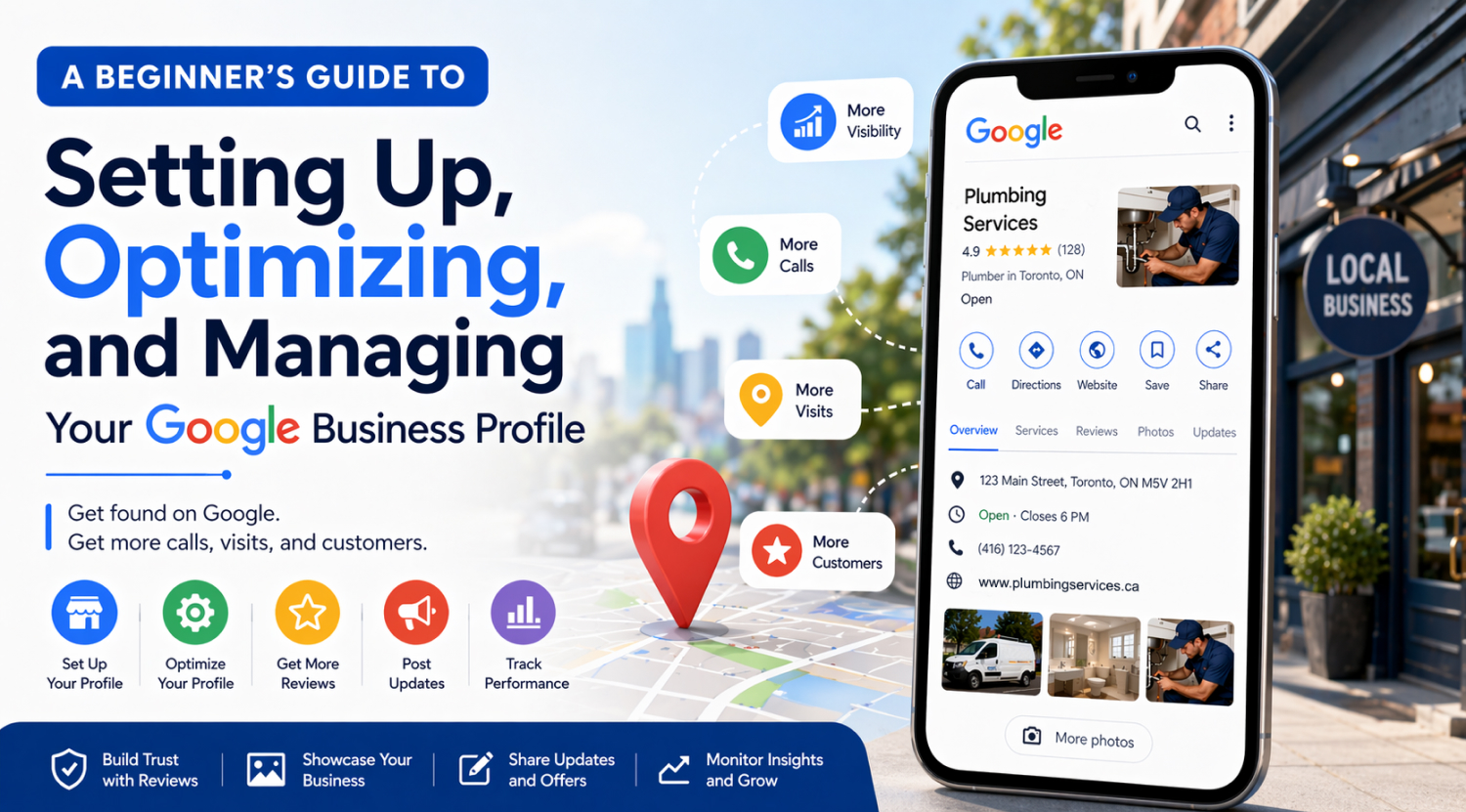
When someone searches for a local business – a plumber, a dentist, a restaurant, a law firm – Google doesn’t just show a list of websites. It shows a map with business listings right at the top of the page. Those listings come from Google Business Profile (GBP), and for most local businesses, they’re responsible for more phone calls, direction requests, and website clicks than any other single source.
The numbers back this up. According to BrightLocal’s 2026 Local Consumer Review Survey, 97% of consumers read online reviews before visiting a business, and 41% always read reviews when browsing for businesses. Your Google Business Profile is often the very first thing a potential customer sees – before your website, before your social media, before any directory listing.
That makes your profile more than a listing. In 2026, GBP data also feeds directly into Google AI Overviews – when someone asks an AI engine for local recommendations, your profile’s completeness, reviews, and activity directly influence whether your business gets cited. It’s your first impression, your trust signal, and your conversion tool all at once. A well-optimized profile can consistently bring in calls, bookings, and foot traffic. A neglected one quietly pushes potential customers toward your competitors.
At Logik Digital, we optimize Google Business Profiles for local service businesses across healthcare, legal, home services, and e-commerce. This guide walks through the full optimization process step by step. This guide covers the full process – from first-time setup to optimizing an underperforming profile. Every section explains what to do, why it matters, and how to get it right.
Why Google Business Profile Matters So Much
Your Google Business Profile sits at the intersection of visibility and trust. It helps people find you, but it also helps them decide whether to contact you. In a matter of seconds, a potential customer can see your business name, location, hours, photos, reviews, services, and recent activity. That means your profile often shapes the buying decision before someone even visits your website.
Google’s own data shows that businesses with complete profiles are 2.7 times more likely to be considered reputable and 70% more likely to attract location visits (Google Business Profile Help). Completeness isn’t a nice-to-have – it directly impacts whether customers choose you or scroll past.
If your profile is incomplete, outdated, or visually weak, people assume your business is the same. If it’s polished, informative, and actively managed, people are much more likely to pick up the phone.
| GBP Action | What It Affects / Why It Matters |
|---|---|
| Complete all profile fields | Search visibility + trust Google favours complete profiles in local rankings |
| Add photos regularly | Engagement + conversion Listings with photos get 42% more direction requests (Google) |
| Collect and respond to reviews | Trust + local ranking Reviews account for ~20% of local pack ranking weight |
| Post weekly updates | Freshness signals + engagement Signals an active, operating business to Google and customers |
| Accurate hours and contact info | Customer experience + trust Wrong hours = lost visits, bad reviews, and eroded confidence |
GBP Setup and Verification
Everything starts here. If your profile setup is wrong, every optimization you do afterward will be limited. Taking the time to get this right from the beginning saves headaches later.
Claiming or Creating Your Profile
First, check whether a listing for your business already exists. Search your business name directly on Google – sometimes a profile already exists because Google auto-generated it from public data, customer activity, or directory listings. If a listing exists, claim it through Google rather than creating a second one. Duplicate listings cause confusion for both Google and customers – they can split your reviews, create conflicting information, and weaken your local authority.
If no listing exists, create one from scratch. Use your real business name exactly as it appears in the real world. Don’t add extra keywords to the name field (e.g., “Smith Plumbing – Best Emergency Plumber in Toronto”) – this violates Google’s guidelines and can get your profile suspended.
Your business name, address, and phone number (often called “NAP” in marketing) should match your website and every other directory listing exactly. Consistency across the web is one of the strongest local ranking signals Google uses.
Verification: Proving Your Business Is Real
Google verification confirms that your business is legitimate and that you have the authority to manage the listing. Without verification, your control is limited, and your visibility may be reduced or nonexistent.
Depending on your business type, Google may verify you by postcard (mailed to your business address), phone call, email, or video. Video verification has become more common – if prompted, prepare in advance. Make sure your signage is visible, your workspace looks professional, and you can clearly show proof that you operate the business from the location you’ve listed.
If verification fails or gets delayed, your profile may remain hidden or restricted. Don’t skip this step or rush through it.
Ownership and Access Control
Once verified, make sure the right people have access – and that you remain the primary owner. If you work with a team member, marketing agency, or consultant, give them the lowest level of access they need rather than full ownership.
Too many businesses lose profile access because an employee leaves and takes it with them, or an outside vendor created the listing under their own account. Keep ownership centralized and documented from the start. This is one of those things that only matters when it goes wrong – and when it goes wrong, it’s a serious problem.
Common Setup Mistakes That Quietly Hurt Performance
• Duplicate listings splitting reviews and confusing Google • Inconsistent phone number, address, or business name across the web • Keywords stuffed into the business name field (violates guidelines) • Blank fields that make the profile look incomplete • Profile created under an employee or vendor’s personal Google account
Business Information Optimization
Once your listing is claimed and verified, the next priority is making sure every piece of information is accurate, complete, and current. This is the information people use to decide whether to contact you, visit you, or keep scrolling.
Name, Address, Phone, and Website
Your core business information must be correct. A wrong phone number loses calls. An outdated address sends people to the wrong location. A broken website link kills trust instantly.
Your website link should go to the most relevant page possible. For many businesses, that’s the homepage – but if you have a dedicated location page or booking page, that may perform better. Our website design guide covers how to structure pages that convert the traffic your GBP sends.
One detail many businesses miss: make sure the phone number on your profile matches the one on your website and all other online directories. Google cross-references this information, and inconsistencies create weak trust signals.
Hours and Special Hours
Hours are one of the most overlooked trust signals on a Google Business Profile. Customers rely on them heavily. If your hours are wrong, people may visit when you’re closed, call when no one answers, or assume your business is disorganized.
Regular hours should be accurate down to the day. Special hours should be updated before holidays, seasonal changes, or temporary closures – not after. Google actually prompts you to confirm holiday hours in advance, and updating them proactively tells both Google and customers that someone is actively managing this profile.
A business that shows up as “open” when it’s actually closed will likely earn a negative review. That’s an entirely avoidable problem.
Keep Information Current
Your business information isn’t a set-it-and-forget-it task. Services change, hours shift, phone systems get updated, and team members come and go. Your profile should reflect reality at all times. Make it a habit to review your profile details at least once a month – it takes five minutes and prevents the kind of outdated information that costs you, customers.
Categories and Relevance Signals
Categories tell Google what your business is. They’re one of the strongest signals Google uses to decide which searches should show your listing. Getting them right is one of the highest-impact things you can do.
Choosing the Right Primary Category
Your primary category should match your core service as specifically as possible. This is not the place to be creative – it’s the place to be precise. Google offers thousands of category options, and the more specific you can be, the better.
For example, “Personal Injury Attorney” is stronger than “Law Firm” if personal injury is your focus. “Pediatric Dentist” is stronger than “Dentist” if that’s your specialty. Google uses your primary category to determine which searches your business should appear for – a vague category means vague visibility.
Secondary Categories
Secondary categories tell Google about additional services you offer. They can expand the range of searches where your profile appears – but they should still be genuinely relevant to what you do.
Too many secondary categories can dilute your positioning. If you’re a plumber who also does HVAC work, adding an HVAC category makes sense. But adding categories for services you don’t actually specialize in confuses Google’s understanding of your business and can actually hurt your visibility for your core services.
Categories Affect More Than Rankings
Your category choices don’t just affect where you show up in search. They also determine which features are available on your profile – certain categories enable specific attributes, booking buttons, menu options, or service lists. They also set customer expectations. Someone searching for an “Emergency Plumber” expects 24/7 availability. Make sure your categories match what you actually deliver.
Business Attributes
Attributes are the small details that appear on your profile – things like whether you offer online appointments, accept certain payment methods, have wheelchair access, or provide free Wi-Fi. They seem minor, but they often tip the scale for a customer deciding between you and a competitor.
Why Attributes Matter
Attributes answer the practical questions customers have before they contact you. Does this place have parking? Can I book online? Do they take my insurance? Is it wheelchair accessible? These details reduce uncertainty – and reduced uncertainty means more conversions.
A complete profile with filled-out attributes feels transparent and trustworthy. A sparse profile with missing details feels like the business either doesn’t care or has something to hide. Neither impression helps you.
Be Accurate, Not Aspirational
Only select attributes that are genuinely true for your business right now. If you check “wheelchair accessible” but your entrance has steps, or you select “online appointments,” but your booking link is broken, you’ll create disappointment and earn negative reviews. Attributes build trust through honesty, not by checking every available box.
Business Description Optimization
Your business description is one of the few places on your profile where you have full control over the messaging. Google gives you 750 characters – use them well.
For a detailed walkthrough of writing high-converting GBP descriptions with keyword research and examples by industry, see our dedicated guide: [SUPPORTING POST: How to Write the Perfect Google Business Profile Description].
What a Good Description Does
A strong description explains three things clearly: who you help, what you do, and why someone should choose you. It should sound natural, be customer-focused, and give the reader a reason to take the next step.
Skip vague filler like “We are a dedicated local business committed to excellence.” That tells the reader nothing. Instead, be specific: what services do you offer, who do you serve, how long have you been operating, and what makes your approach different? If you’ve won awards, hold specific certifications, or use specialized equipment, mention it.
Front-Load the Most Important Information
Only part of your description is visible without clicking “More,” so your opening lines carry the most weight. Lead with your core service and location. A description that starts with “Full-service residential plumbing in the Greater Toronto Area since 2009” immediately tells Google and the reader what you do, where you do it, and how long you’ve been doing it.
Weave in relevant keywords naturally – your services, your location, your specialties – but write for humans first. If the description reads like a keyword list, it won’t build trust. Our SEO guide covers keyword strategy in more depth, and our AI SEO guide explains how GBP data feeds into AI search recommendations. But in your GBP description, readability always beats keyword density.
Service Areas and Locations
If your business serves customers beyond your physical address – whether you travel to them, deliver to them, or serve a broader region – service area settings tell Google where you’re relevant.
Setting Your Service Areas
Service areas help Google understand which geographic searches should show your listing. If you’re a home services company that operates across five suburbs, setting those areas correctly means you can appear in local results for all of them – not just the one where your office is located.
Be realistic about what you set. Claiming an entire province or state when you realistically serve a 30-kilometre radius doesn’t help – Google will spread your visibility too thin, and you’ll show up weakly everywhere instead of strongly where it matters.
Multiple Locations
If you have more than one physical location, each one should have its own separate Google Business Profile. Each listing should reflect the actual services, team, hours, and area connected to that specific location. Don’t copy-paste the same description across all of them – Google treats duplicate content as a quality issue, and customers can tell when a listing feels generic.
Photos and Visual Content
Visual content is one of the strongest trust-builders on your profile. Google’s own data shows that businesses with photos receive 42% more requests for directions and 35% more clicks to their website than those without. People want to see where they’re going, who they’ll be working with, and what kind of environment to expect.
“AI systems must first understand your entity, then trust it, before they can recommend it. Your Google Business Profile is the richest structured data source for local entity definition,” says Jason Barnard, CEO of Kalicube and a leading entity SEO strategist.
Types of Photos to Prioritize
| Photo Type | What to Show / Why It Matters |
|---|---|
| Exterior | Your storefront, signage, entrance, and parking area Helps customers find you and sets a first impression |
| Interior | Waiting area, workspace, treatment rooms, office Reduces anxiety about visiting an unfamiliar place |
| Team | Staff photos, candid shots of the team at work Humanizes the business – people connect with faces |
| Work / Results | Before-and-after, completed projects, service in action Demonstrates quality and builds confidence |
| Product / Equipment | Key tools, technology, or products you use Signals professionalism and investment in quality |
Use real photos of your actual business – not stock images. Customers can tell the difference, and Google may flag stock photos as irrelevant. Photos should be well-lit, in focus, and reasonably professional. You don’t need a photographer for every shot, but blurry smartphone photos taken in bad lighting will hurt more than they help.
Video Content
Short videos can go further than photos alone. A 30-second walkthrough of your space, a quick introduction from the owner, or a brief demonstration of your service process gives potential customers a sense of what the experience will be like. Keep videos under 30 seconds for GBP (that’s the platform limit for video uploads), and make sure they’re well-lit and steady.
Keep Visual Content Fresh
Outdated photos weaken confidence. If your profile still shows a reception area you remodelled two years ago, or team photos featuring people who no longer work there, it creates a disconnect between what the customer expects and what they’ll actually experience. Add new photos at least monthly. Google treats fresh visual content as an activity signal, which can help your visibility.
Google Posts
Google Posts are small updates that appear directly on your profile. Think of them as mini social media posts – but shown to people who are actively searching for a business like yours, which makes them significantly more targeted than a typical social post.
For a complete posting strategy with templates, content ideas by industry, and a 12-week posting calendar, see our dedicated guide: [SUPPORTING POST: Google Posts Strategy – What to Post and How Often].
Why Posts Matter
Posts signal to both Google and customers that your business is active and engaged. An inactive profile – no posts, no new photos, no review responses – looks abandoned. According to Whitespark’s Local Search Ranking Factors survey, GBP signals (which include posts, photos, and updates) account for approximately 32% of local pack ranking weight. Regular posting contributes directly to that signal.
If you’re already creating content for social media, repurposing it for Google Posts is straightforward. Our social media guide covers how to create content efficiently across multiple platforms.
What to Post
| Post Type | Example / Best For |
|---|---|
| Update / News | “We’ve added Saturday morning appointments starting this month.” Keeping customers informed, showing activity |
| Offer | “20% off first-time deep clean – book this week” Driving immediate action with urgency |
| Event | “Free workshop: Home maintenance basics – June 15” Community engagement, building authority |
| Tip / Educational | “3 signs your furnace filter needs replacing” Demonstrating expertise, adding value |
| Behind the scenes | “Our team just completed 40 hours of advanced training.” Humanizing the business, building trust |
How Often to Post
You don’t need to post daily. Once a week is enough to keep your profile active and up to date. Google Posts expire after 7 days (for most post types), so a weekly rhythm also ensures there’s always something visible on your profile.
Consistency matters more than volume. A business that posts every Tuesday is building a signal that an algorithm can learn from. A business that posts three times in one week and then goes quiet for a month is not.
Reviews Management
Reviews are one of the most influential elements on your profile – and arguably the single biggest factor in whether a potential customer chooses you. BrightLocal’s 2026 Local Consumer Review Survey found that 50% of consumers trust online reviews as much as personal recommendations from friends and family, and 87% won’t consider a business with fewer than 3 stars.
How Reviews Affect Your Rankings
Reviews don’t just influence customers – they influence Google’s algorithm. Whitespark’s Local Search Ranking Factors estimates that review signals account for roughly 20% of local pack ranking weight. That includes your average rating, the number of reviews, how recent they are, and the actual words inside them.
Google’s AI reads review text for keywords and context. A review that says “best emergency plumber in Mississauga – fixed our burst pipe at 2 am” is far more valuable for your rankings than one that says “Great service.” The specific language in reviews teaches Google what your business does well and where it operates.
“Businesses with complete, regularly updated Google Business Profiles are 2.7 times more likely to be considered reputable by consumers – and increasingly by AI engines that use GBP data to generate local recommendations,” notes Joy Hawkins, founder of Sterling Sky and a leading local SEO expert.
How to Ask for Reviews
The best time to ask is shortly after a positive experience – when the customer is most likely to feel good about your business and willing to take 60 seconds to write something. A direct review link makes it easy (Google provides a shareable short link in your GBP dashboard).
Keep the ask simple and personal: “We’d really appreciate a quick Google review if you have a moment – it helps other people find us.” Don’t pressure, don’t offer incentives that violate platform guidelines, and don’t ask for a specific star rating. Just make it easy and ask at the right time.
Automating review requests through your email follow-up sequence is one of the most effective approaches. Our email marketing guide covers how to build post-service follow-up sequences that include review requests at the optimal timing.
For a complete system for generating consistent 5-star reviews – including automated sequences, timing, and response templates – see our dedicated guide: [SUPPORTING POST: How to Get More Google Reviews for Your Business].
How to Respond to Reviews
Responding to reviews matters almost as much as the reviews themselves – because your response isn’t just for the person who wrote it. It’s for every future customer reading it.
For positive reviews: thank the reviewer sincerely, mention something specific about their experience if possible, and keep it brief. For negative reviews: acknowledge the issue, take responsibility where appropriate, offer to resolve it offline, and stay calm. Never get defensive, never argue, and never make excuses. A thoughtful response to a negative review can actually build trust with people reading it.
Respond to every review – positive and negative – within 24–48 hours. Speed signals attentiveness, and Google considers response behaviour as part of your profile’s engagement metrics.
Learn from Review Feedback
Beyond their marketing value, reviews are a source of genuine business intelligence. If three customers in a month mention long wait times, that’s operational feedback you can act on. If multiple reviews praise a specific team member or service, that’s a strength you should emphasize in your marketing. Patterns in reviews tell you what customers value and where you’re falling short.
Q&A Section
The Questions and Answers section on your profile is often overlooked – but it’s publicly visible, and anyone can answer the questions posted there. That means if you don’t manage it, someone else will, and their answers may not be accurate.
Seed It with Common Questions
You can (and should) proactively add your own questions and answers. Think about what people ask you most often: Do you offer free consultations? Is parking available? Do you take walk-ins? What insurance do you accept? Posting and answering these yourself ensures potential customers get accurate information immediately.
Monitor It Regularly
Anyone can post a question or an answer on your Q&A section. Check it at least weekly. If someone has asked a question, answer it promptly and accurately. If someone has posted an incorrect answer, correct it with a factual response. Leaving wrong information up is worse than having no Q&A section at all.
Messaging and Customer Contact
Google Business Profile offers a messaging feature that lets customers contact you directly from your listing. If enabled, it creates a fast path between someone finding your business and starting a conversation.
Set It Up Properly
If messaging is available for your business type, enable it and create an automatic greeting so customers know you’ve received their message and will respond shortly. Something simple works: “Thanks for reaching out! We typically reply within a few hours during business hours.”
Response Time Matters
Fast replies build trust. Slow or no replies create a drop-off. Google actually tracks your average response time and may disable messaging if your response time is consistently poor. Even a short, helpful response is better than a delayed perfect one. If a conversation needs to go deeper, guide the person toward a phone call, email, or formal booking.
Services, Booking, and Conversion Features
Your GBP listing works alongside your paid search campaigns – location extensions in Google Ads pull directly from your GBP data, showing your address, hours, and reviews alongside your ads.
A profile shouldn’t just attract attention – it should help turn interest into action. Google Business Profile includes several features designed specifically to drive conversions.
Services Section
List your main services clearly, using customer-friendly language. Each service can have a short description – use it. Instead of just listing “Emergency Plumbing,” add a line like “24/7 emergency response for burst pipes, flooding, and gas leaks in the Greater Toronto Area.” This helps Google match your profile to specific search queries and helps customers understand exactly what you offer.
Booking Integration
If your business takes appointments, adding a booking link to your profile removes a step from the conversion path. Instead of calling, visiting your website, finding the booking page, and then scheduling, the customer can book directly from your GBP listing.
Make sure the booking link goes to a page that’s fast, mobile-friendly, and easy to use. If your website’s booking experience is clunky, it will cost you conversions regardless of how good your GBP listing is. Our website design guide covers booking system best practices and mobile optimization in detail.
Test Your Links Regularly
Broken booking links, incorrect phone numbers, and website links that lead to error pages are silent conversion killers. Test every link on your profile monthly. Click the phone number, open the website link, and try the booking button. If any of them don’t work perfectly, fix them immediately.
Insights and Analytics
Google Business Profile provides built-in performance data that tells you how people are finding and interacting with your listing. This data is free, easy to access, and surprisingly useful – especially if you’re trying to figure out what’s working and what isn’t.
What to Track
| Metric | What It Tells You / What to Do With It |
|---|---|
| Search views | How often does your profile appear in search results If low, check categories, description, and review volume |
| Map views | How often do you appear in Google Maps results If low, check service area settings and NAP consistency |
| Phone calls | How many calls does your listing generate Track monthly – this is often your primary conversion metric |
| Website clicks | How many people clicked through to your site If high clicks but low conversions, the problem is your website |
| Direction requests | How many people asked for driving directions Track alongside phone calls for a total conversion picture |
| Photo views | How often your photos are viewed vs. competitors If low, add more and better photos |
Use Patterns, Not Just Numbers
A single week’s data is a snapshot. What you’re looking for are patterns over months. If phone calls spiked after you started posting weekly, that’s a signal to keep posting. If website clicks are high but direction requests are low, customers may be finding you online but not visiting, which might mean your hours, location, or service area need attention. If you are also running paid campaigns, GBP performance data can inform your ad targeting and messaging – our Google Ads guide covers how location extensions connect your profile directly to your search ads.
For a deeper understanding of how to track where your leads and traffic are coming from – including from your GBP listing – our SEO guide covers analytics setup and performance tracking in detail.
Common GBP Mistakes That Hurt Performance
A lot of businesses underperform on Google not because GBP is weak, but because they make avoidable mistakes. Here are the most common ones.
Incomplete Information
Every blank field on your profile is a missed opportunity. Missing hours, empty service descriptions, no business description, no attributes – these gaps reduce your visibility in search and your credibility with customers. Google favours profiles that are thoroughly filled out. Customers do too.
Weak or Missing Photos
A profile with no photos – or only blurry, outdated ones – is actively pushing customers away. People are visual. They want to see your space, your team, and your work before making a decision. If you have no photos, a competitor who does will win that customer.
Inactive Management
A profile with no posts, no review responses, and no recent activity looks abandoned. Google and customers both interpret inactivity as a lack of investment. Weekly posts, prompt review responses, and regular photo uploads all signal that someone is paying attention.
Ignoring Negative Reviews
Leaving negative reviews unanswered is worse than the negative review itself. It tells every future customer that you either don’t care about feedback or don’t check your profile. A calm, professional response turns a negative review into a demonstration of how you handle problems, which many customers find reassuring.
Broken Links and Wrong Phone Numbers
If someone clicks your booking link and gets an error page, or calls your number and reaches a disconnected line, you’ve lost that customer for good. Test your links and contact information monthly. It takes two minutes.
Keyword Stuffing the Business Name
Adding extra keywords to your business name (“Smith Dental – Best Affordable Dentist in Mississauga”) violates Google’s guidelines. It may provide a short-term ranking boost, but it also risks suspension. Use your real business name. Build visibility the right way – through reviews, categories, posts, and complete information.
Putting It All Together
- Quick-Start Checklist: The First 7 Things to Do
☐ Claim and verify your listing (or confirm ownership if already claimed)
☐ Make sure name, address, phone, website, and hours are 100% accurate
☐ Choose the most specific primary category available for your business
☐ Write a clear, customer-focused business description (750 characters max)
☐ Upload at least 10 quality photos: exterior, interior, team, and work examples
☐ Ask your 5 most recent happy customers for a Google review
☐ Publish your first Google Post – a tip, an update, or a special offer
After the initial setup, shift into a weekly rhythm: publish one Google Post, respond to any new reviews within 24–48 hours, and check your Q&A section for new questions. Monthly, review your Insights data, update any changed business information, and add fresh photos. That’s it.
A well-managed Google Business Profile doesn’t require hours of work each week. It requires consistency, attention to detail, and the willingness to keep showing up. The businesses that do this well generate a steady stream of calls, visits, and bookings from local search – while their competitors wonder why Google isn’t working for them.
Frequently Asked Questions
Q: How long does it take for Google Business Profile optimization to show results?
Most businesses see measurable changes within 4–8 weeks of fully optimizing their profile. Review velocity and GBP activity (posts, photos) tend to impact rankings fastest. Some changes – like fixing your primary category or adding missing NAP information – can produce visible improvements in local rankings within days.
Q: Can I optimize my Google Business Profile myself, or do I need to hire someone?
You can absolutely do it yourself. Everything in this guide can be implemented without technical skills or specialized tools. The main requirement is consistency – posting weekly, responding to reviews promptly, and keeping your information current. If you don’t have time for that ongoing management, that’s when hiring help makes sense.
Q: How many Google reviews do I need?
There’s no magic number, but BrightLocal’s 2024 data suggests that businesses in the local top 3 typically have 40+ reviews. More important than hitting a number is maintaining a steady flow – a few reviews per month from recent customers carry more weight than 50 old reviews with nothing recent.
Q: Do Google Posts actually help with rankings?
They contribute to GBP signals, which account for approximately 32% of local pack ranking weight according to Whitespark. Posts alone won’t dramatically change your rankings, but combined with reviews, photos, and complete information, they contribute to the overall activity signal Google uses to evaluate your profile.
Q: How do I handle fake or spam reviews?
Flag the review through your GBP dashboard using Google’s “Report” feature. Google will review it against their policies. Don’t respond to obviously fake reviews with anger – a brief, professional response noting you can’t find this person in your records is sufficient. In some cases, Google will remove reviews that clearly violate its guidelines, but the process can take weeks.
Q: Should I have a separate Google Business Profile for each location?
Yes. Each physical location should have its own profile with unique information – separate photos, separate descriptions, separate review management, and location-specific hours and services. Don’t copy-paste content across locations. Google treats each profile independently, and customers expect location-specific accuracy.
Q: How often should I post on Google Business Profile?
Once a week is the sweet spot for most businesses. Most Google Post types expire after 7 days, so weekly posting ensures something is always visible on your profile. Consistency matters more than frequency – a reliable weekly post builds a stronger signal than sporadic bursts of activity.
Q: Does my website affect my Google Business Profile rankings?
Yes. Google considers your website as part of your overall local authority. A well-structured website with consistent NAP information, location-specific content, and proper schema markup reinforces the signals your GBP profile sends. A slow, outdated, or poorly structured website can limit how well your profile performs in local search.
Q: Can I edit my Google Business Profile if I didn’t create it?
Yes. If a listing already exists for your business (Google sometimes auto-generates them from public data), you can claim ownership through the Google Business Profile dashboard. Google will verify you are the legitimate business owner through postcard, phone, email, or video verification before granting full editing access.
Q: Do Google Business Profile posts affect my website’s SEO?
Indirectly, yes. GBP posts contribute to your overall local search signals and can drive clicks to your website. The posts themselves don’t directly influence your website’s organic rankings, but the activity signals they create – combined with reviews, photos, and complete profile information – strengthen the local authority that supports both your map pack and organic positions.
Ready to grow your business? Explore Logik Digital’s GBP optimization services or book a strategy call.


Share video
Video URL